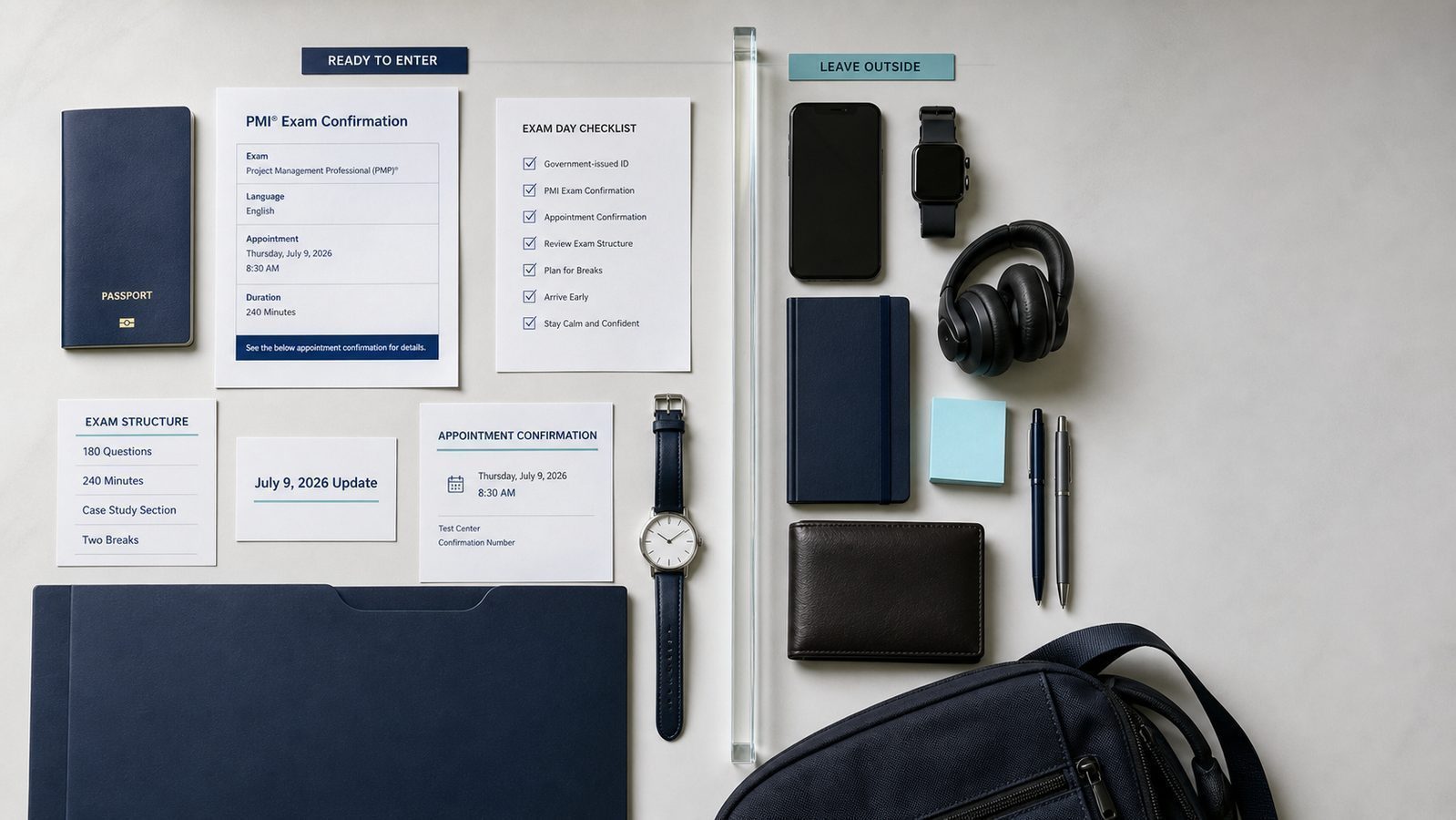
You can know every ITTO and every agile ceremony cold and still lose your exam fee over something that has nothing to do with project management: a name mismatch on your ID, a phone left in your pocket, or a room that does not pass an online proctor's scan. A solid PMP exam day checklist is not a nice extra. It is the difference between walking into the exam calm and getting turned away before you see a single question. This guide covers exactly what to bring, what to leave at home, and what changed at check-in after PMI's July 9, 2026 exam update.
What to Bring to Your PMP Exam
Whatever else you pack, one item matters more than the rest: a valid, government-issued photo ID with a name that matches your PMI registration exactly, including middle names, hyphens, and suffixes. Accepted IDs generally include a driver's license, passport, or military ID, and it cannot be expired. If your ID name and your PMI account name do not line up, you risk being turned away and forfeiting your fee, so check this days in advance, not the morning of your exam. If you need to correct your name, update it in your PMI account and give the change time (at least a couple of days) to sync with Pearson VUE's system before you test.
Beyond your ID, bring your exam confirmation email or number and, where required, a second form of identification. If you are testing at a Pearson VUE center, plan to arrive at least 30 minutes before your scheduled start. Test centers commonly turn away candidates who show up 15 minutes late, and a missed appointment usually means losing the exam fee, not just rescheduling for later that day.
What You Cannot Bring Into the Exam Room
Test centers are strict, and the list of banned items is longer than most candidates expect. Phones, smartwatches, wallets, bags, notes, pens, and even water bottles are not allowed in the exam room itself. At check-in, staff will typically have you store everything except your ID in a locker, and you carry only your ID and locker key in with you. Your phone needs to be fully powered off, not just silenced, before it goes into the locker. This matters for your break strategy too. The PMP exam still gives you two scheduled 10-minute breaks, but if you use them, you cannot use your phone or review study materials during that time. Plan your break as an actual break: stretch, breathe, use the restroom. Treat it as recovery time, not a chance to cram.
One detail that trips people up: once you submit your responses for a section and move into your break, you cannot go back and revisit questions from that section. That was already true for the exam's independent questions, and it now also applies to the new case-study section introduced in July 2026. Review each set of answers carefully before you confirm and move on.
Test Center Check-In: What Actually Happens
Once you arrive, expect the check-in process itself to take roughly 10 to 15 minutes. Staff will verify your ID, may take your photo and signature, and in some centers use a palm vein or biometric scan as an additional identity check. This is standard procedure at Pearson VUE centers for high-stakes certification exams and is not something to be caught off guard by. After check-in, you are seated at a workstation, given scratch materials (usually a small whiteboard or note-taking device provided by the center, not your own paper), and the proctor starts your session. From that point, the clock and the exam format take over.
Taking the PMP Exam Online: What's Different
If you chose the OnVUE online proctored option instead of a physical test center, your exam-day checklist looks different, and arguably stricter. You will need a private room with a closed door. Open-plan offices, shared bedrooms, and living rooms with other people present are generally not acceptable testing environments. Before your session starts, you will complete a 360-degree room scan with your webcam so the proctor can confirm there are no unauthorized materials, no extra monitors or devices left powered on and facing you, and no one else in the room. A few rules specific to online testing are easy to miss:
- No food or drinks other than plain water in a clear, unlabeled container.
- No books, notepads, sticky notes, or pens within arm's reach, even if you do not touch them.
- No leaving your seat without the proctor's explicit permission.
- No talking or reading questions aloud, even quietly to yourself.
- Noise-canceling headphones or earbuds are typically not allowed unless you have an approved accommodation.
If any of these conditions are not met during your room scan, the session can be stopped before it starts, and you may still forfeit your fee. If you are testing online, do a practice run the day before: clear your desk, close your door, silence notifications on every device in the room, and check your internet connection and webcam.
Test Center or Online: Which Fits You Better
Both options lead to the same certification, so the decision comes down to your environment and your temperament, not the exam itself. A test center works well if your home is noisy, shared with family or roommates, or simply not a space where you can guarantee 240 uninterrupted minutes alone. Centers also remove the technical variable: you are not responsible for your own internet connection or webcam quality, and a proctor is physically present if something goes wrong with the equipment. The tradeoff is travel time and a fixed appointment window with less flexibility if you are running late. Online proctoring works well if you have a truly private, quiet room and are comfortable with a more invasive check-in process, including the room scan and closer monitoring of your movements during the exam. The upside is obvious: no commute, no unfamiliar environment, and often more available time slots. The downside is that a failed room scan, a weak internet connection, or a family member walking in can disrupt or end your session, and troubleshooting falls partly on you. If you are unsure, ask yourself one practical question: can you guarantee, with certainty, a closed door and zero interruptions for four hours on your test date? If the honest answer is no, book a test center instead.
If Something Goes Wrong Before Exam Day
Life happens, and PMI's system does allow candidates to reschedule or cancel an exam appointment through their Pearson VUE account rather than simply not showing up. Rescheduling policies typically get more restrictive (and more expensive) the closer you get to your appointment date, so if you know a date will not work, changing it early is almost always better than waiting. A missed appointment with no cancellation on record is treated differently, and usually worse, than a properly rescheduled one. Because exact fees and cutoff windows can change and vary by region, check the reschedule and cancellation terms directly in your Pearson VUE confirmation email rather than relying on older blog posts, including this one, for the current numbers.
What Changed on Exam Day Since the July 2026 Update
PMI's new PMP exam launched on July 9, 2026, and it changes more than just content. Candidates testing on or after that date sit a 240-minute exam (up from 230 minutes) covering 180 total questions, including scored and unscored pretest items mixed throughout. For a full breakdown of the new domains and question types, see our guide to the July 2026 PMP exam changes. The structural change most relevant to exam day is the new case-study section: one detailed project scenario, sometimes with supporting data or charts, that feeds a series of related questions. This section comes before the independent questions, and your first scheduled break falls right after you complete it. The second break lands roughly midway through the independent question portion. Once you move past a section, you cannot return to it, so pace yourself deliberately within each section rather than assuming you can catch up later. If you have not already reviewed exactly how the new format is timed and scored, our exam format explainer walks through question types, time limits, and how PMI scores each domain. And if pacing under pressure is your biggest worry, our time management strategies article is worth reading before test day, not after.
Key Takeaways
- Match your ID name to your PMI registration exactly, and fix mismatches days in advance, not the morning of your exam.
- Arrive at least 30 minutes early for test center exams. Late arrival commonly means forfeiting your fee.
- Phones, notes, and personal items stay in a locker at test centers and must be out of your online testing room entirely.
- Once you submit a section and take your break, you cannot revisit those questions, in the case-study section or the independent questions.
- Online candidates need a private, single-occupant room and must pass a live 360-degree scan before the exam starts.
- The July 2026 format adds 10 minutes and a dedicated case-study section with its own break point. Know the new structure before test day.
Walk In Ready, Not Just Studied
Content knowledge gets you through the questions. Logistics readiness gets you into the room in the first place. Once your ID, confirmation, and testing environment are sorted, the only thing left to control is how comfortable you are with the exam's format and pacing, and that comes from practicing under conditions that match the real thing. pmproad.com offers more than 1000 exam-style questions with detailed explanations, built around the current PMP domains and question types. If you want to see where your preparation actually stands, start with the free 20-question demo, no account required.